Four Areas the System Addresses
Hearthvyn's capabilities are grouped into four functional areas. Each is accessible through the interface and described within the system documentation.
Arranging Information by Category
The classification capability applies a configurable framework of categories, labels, and rules to incoming records. Once classified, records appear in the appropriate sections of the organised view. Users can navigate between categories, see how many records each holds, and inspect individual items within a category.
The classification framework is transparent: the categories in use, the rules that define them, and the criteria for assignment are all visible within the system. Users are not required to infer how the system has organised their information.
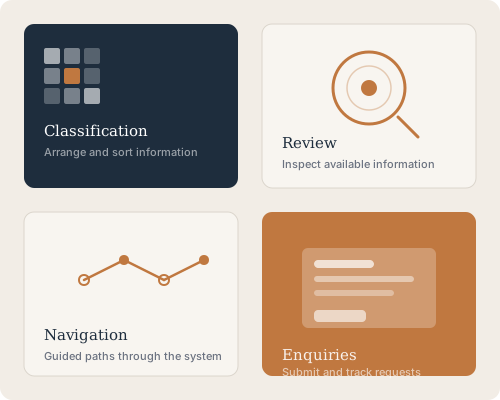
Inspecting Records in an Organised View
The review capability provides views designed for careful inspection rather than rapid scanning. Each view presents records in a consistent format, with relevant fields visible and secondary information accessible without leaving the current context.
Review views support filtering by category, date range, and label. The resulting subset can be inspected as a list, examined record by record, or used as the basis for an action — depending on the permissions associated with the user's access level.
Moving Through the System with Guided Paths
Hearthvyn generates navigable paths based on the information it holds. Rather than presenting a fixed menu, the navigation reflects what is available: active categories, populated sections, and accessible records appear in the navigation layer; empty or restricted areas do not.
This approach ensures that users see only what they can actually access, reducing the friction that comes from navigating towards information that is not available at their access level.
A Channel for Questions and Access Requests
Hearthvyn provides a structured channel for user enquiries. Whether a user needs clarification about a record, wishes to request a different access level, or has a question about system behaviour, enquiries are received, logged, and reviewed by the support team.
Each enquiry is associated with a request type so that it can be directed to the appropriate handler. The team reviews each message and responds directly. Response timing is not guaranteed, and enquiries requiring additional verification may take longer to resolve.
How to Begin Using the System
Access to Hearthvyn follows a straightforward sequence. Each step is described below so that users know what to expect before submitting a request.
Review the Platform Information
Read the overview and capabilities pages to understand what the system provides. Ensure that the available capabilities align with your intended use before submitting a request.
Submit Your Enquiry
Use the enquiry form to describe your intended use and the level of access you are requesting. Include enough detail for the support team to understand your requirement.
Await the Team's Response
The support team reviews each request and may follow up with clarifying questions. Access decisions are communicated directly by the team. There is no automated approval in this process.
to Note
What Hearthvyn Does Not Do
Understanding the limits of the system is as useful as understanding its capabilities. Hearthvyn organises and presents information; it does not independently verify, certify, or endorse the accuracy of the records it holds.
The system does not generate recommendations, produce predictive outputs, or take actions on behalf of users without explicit instruction. It reflects what is in it — no more, and no less.
Users who require independent verification of specific records should pursue that through appropriate external channels. The system documentation describes which actions are logged and how to query the history of a record.
Ask the Support Team